

Features
Environmental Site Model Studio
High resolution site characterization (HRSC) and in-situ remediation
Environmental Site Model Studio (ESM) is an expert-level application for modeling and visualization of environmental data — designed for contaminated sites involving hydrocarbons and chlorinated solvents. From data collection and HRSC modeling to remedial design, field work, monitoring, and reporting, ESM supports the full lifecycle of remediation projects.
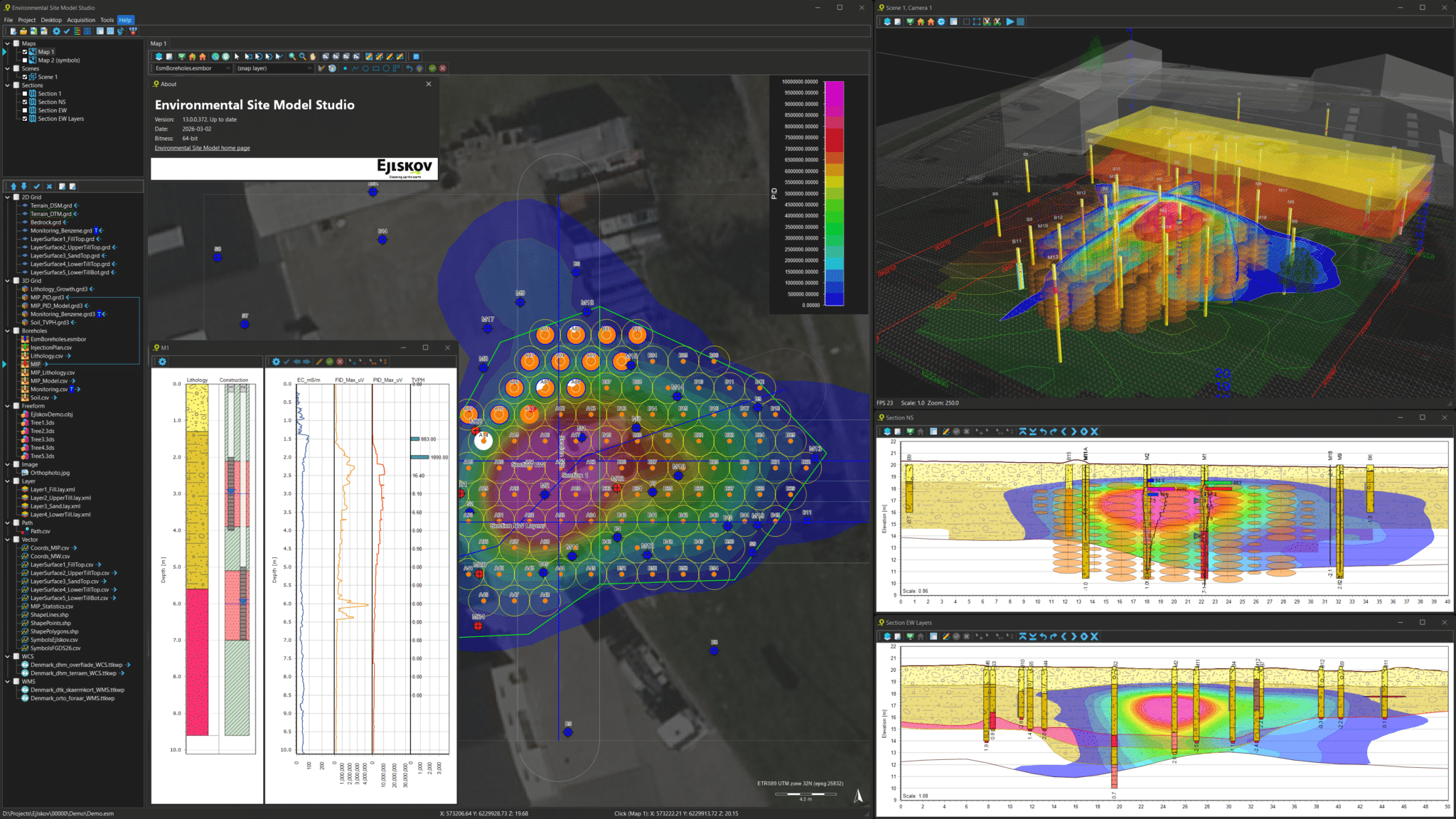
Plume modeling
Transform field data from direct push probes, soil samples, and other sources into high resolution volumetric site models. ESM structures dense datasets into a clear subsurface representation that supports High Resolution Site Characterization and strengthens site understanding.
Convert concentration data into distribution models to visualize and quantify contamination across depth and area. This supports contaminant mass assessment and provides a solid foundation for confident remediation planning and decision making.
Remedial design
Design in situ treatment plans for contaminant plumes using tools built for direct push and injection based remediation. ESM helps structure treatment layouts directly within the site model, creating a clearer link between interpretation and implementation.
The software supports estimation of injection volumes, locations, and depths, making planning, budgeting, and documentation more consistent. As new data becomes available, designs can be adjusted to reflect improved understanding of site conditions.
Borehole data management
Organize borehole data in simple CSV files or databases and keep field observations and laboratory results structured in one environment. ESM includes a built in borehole database format that keeps data accessible and ready for modeling.
Borehole information can be exported for reporting and serves as a primary input for volumetric modeling. This ensures that interpretations and analyses remain traceable and grounded in well structured source data.
Touch friendly field acquisition
Use acquisition modes designed for rugged tablets where most input is completed through intuitive touch interaction. This supports efficient logging during soil coring and in situ remediation activities.
Field data is captured and digitized immediately, reducing manual afterwork and improving consistency between field execution and office analysis. The result is a smoother transition from data collection to modeling and reporting.
Complete project workflow
Use ESM throughout the entire remediation process, from the first conceptual model to final monitoring and performance evaluation. In the office, the application provides a feature rich environment for modeling, visualization, and stakeholder communication.
In the field, simplified acquisition modes keep data structured from the start. This continuity across phases and teams supports clearer reporting, better coordination, and stronger long term project control.
Data Formats
ESM supports data formats commonly used for environmental site modeling by simple drag and drop and the list of formats continues to grow. Data is imported by dropping data on the application, visualizations are built by dragging data within the application. Both local file-based formats and online web service formats are supported directly without any data formatting. In addition to the directly supported formats, CSV files serve as a generic format that may be used for modeling any numeric data value.
| Direct push: | MIP, MIHPT, HPT, MHPT, OIP, OIH, LIF, UVOST |
| Boreholes: | ESM database, Jupiter database, CSV |
| Geophysics: | Gerda database, Geosoft XYZ, CSV |
| Web: | WMS, WFS, WCS, WMTS, WebTiles, Google Maps |
| Raster: | BMP, JPG, PNG, JP2, TIF, ECW, IMG |
| Grids: | GRD, ASC, TIF, IMG, GRD3 (3D) |
| Lidar: | LAS, LAZ |
| Vector: | CSV, SHP, TAB, DWG, DXF, DGN, KML, GML |
| Soil Analytics: | CSV (single data or time series) |
| Water Analytics: | CSV (single data or time series) |
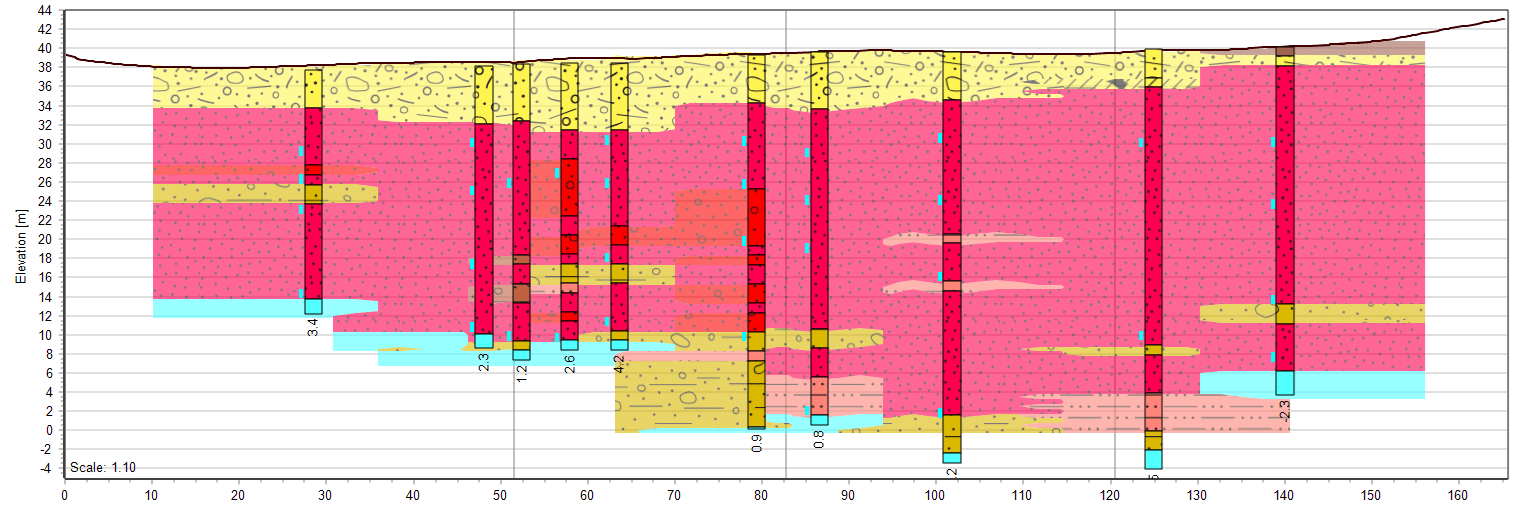
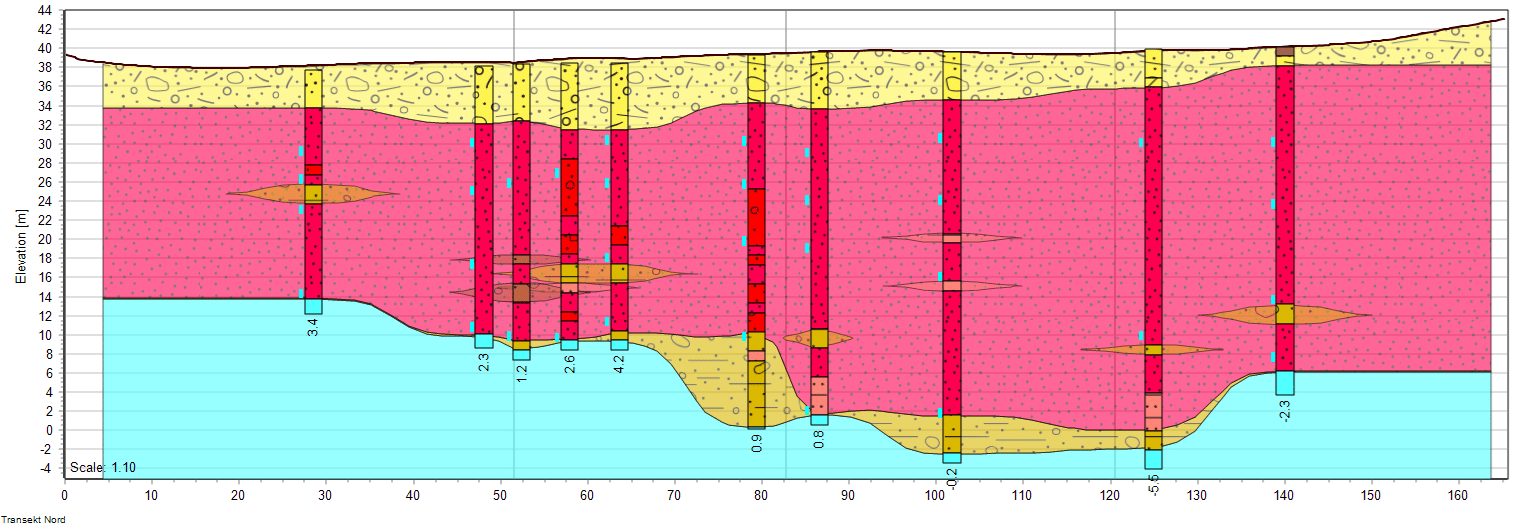
Voxel and Layer Modeling
Visualizations in 2D, 3D, and 4D
Licensing
Explore our options
Choose the license that fits your role — from free viewer access to full project manager and modeler functionality. Flexible options ensure your team has the right tools at every stage of the project.
Tutorials
Learn about the tool
Get step-by-step guidance on modeling, visualization, remedial design, and field acquisition. Our tutorials help you move from raw environmental data to structured, high-resolution site models.
Download
Get the latest version
Download the newest 64-bit Windows release of Environmental Site Model. Use it as a free viewer or activate your license to unlock full advanced modeling and field capabilities.